
Already have your own connection to the asset type? See Bring Your Own Connection instead.
- Energy Supplier
- Manufacturer/EMS
Endpoint
Use the following endpoint to connect a user to our platform and link their asset: Create supplier link sessionAuthentication flow
Summary:-
Call our API → Creates an authentication session; you redirect the user to the
link_url. - User chooses brand → NOX Energy opens the brand-specific authentication page.
- User authenticates → The user is redirected to the callback URL you provided to our API.
-
Done! → NOX Energy has a
user_id/device_idtosupplier_user_idmapping and data is available in our API endpoints.
user_id for the end-user, a redirect_url where NOX Energy will send the user after the flow, the asset_type of the device to connect, and optionally a language and brand to pre-select the Authenticator UI. This can be your mobile app or website. We use the user_id you provide to map the device with our internal nox user_id and device_id.Choosing the device type (asset_type)
The required asset_type field tells NOX Energy which kind of device the user is connecting. It also determines which manufacturer brands are shown in the Authenticator UI. Supported values:To connect a PV (solar) device, set
"asset_type": "pv". The user will then only see PV inverter brands. To connect a heat pump, set "asset_type": "hp". If you also pass a brand in the link-session request, then you will directly go to that brand’s connect page instead of first arriving to the brand selector page. This can be useful if you want to have your own style of brand selector within your app. Note that the provided brand must be a valid brand for the chosen asset_type. See the Supported Assets Overview for the full list of brands per category.Example:link_url field.link_url from your website or app to start the manufacturer authentication flow.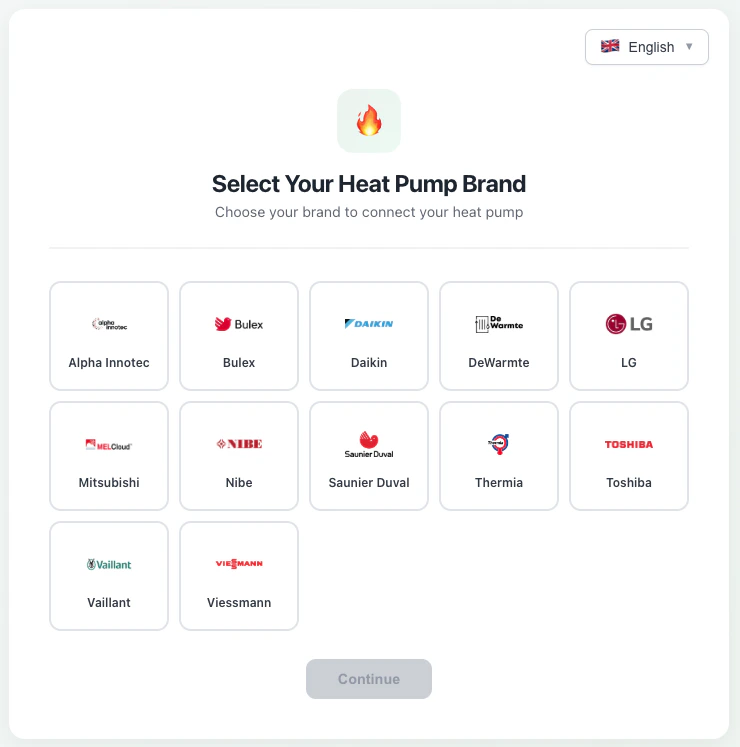
Redirect callback
To complete the integration flow, you must provide NOX Energy with a redirect URL (theredirect_url field in the request). It must be a valid http(s) URL, and any query parameters you include in it are preserved.When the user finishes the flow they are redirected back to this URL. We always append a success query parameter so a single redirect URL can render both outcomes:- Success:
?success=trueplus adataquery parameter (see below). - Failure:
?success=false, with nodataparameter (this includes errors such as the user declining consent on the manufacturer’s OAuth screen).
data parameter holds a base64url-encoded (no padding) JSON payload with the connection details, allowing you to map the NOX user to your system. The decoded JSON object has the following structure:Example decoded payload:
Data availability after connecting
We advise the connecting party to poll the /devices endpoint for up to 10 minutes after the redirect callback, while displaying a pending state to the end user. Once device data is returned, the connection is finalized and you can stop polling. If no device data is returned after 10 minutes, assume something went wrong with the connection.Note:- A link session expires 10 minutes after creation. If the session times out, the authentication will fail even if the user completes it afterwards.
- If a user authenticates again with the same
supplier_user_id, we overwrite the linked device with the new one while keeping theuser_idandsupplier_user_idthe same. - If the owner of an asset authenticates using two different
supplier_user_idvalues, only the last user will exist on our side, as we assume a single user has ownership of a device. - After a device connects to our system for the first time, we need approximately 30 days of data before we can provide accurate steering capabilities.