> ## Documentation Index
> Fetch the complete documentation index at: https://docs.nox.energy/llms.txt
> Use this file to discover all available pages before exploring further.
# Utility Connections
> Connect a user's energy contract to NOX Energy, or send them to sign up with a utility.
A utility is the company that holds a person's energy contract: what they pay per kWh and what they are billed for. Connecting a user's utility lets NOX Energy take their contract into account, so heat pump and battery steering follows the tariff they actually pay.
Users who are not yet customers of the utility can sign up with it from the same flow. NOX Energy records this as a **lead**.
Utility connections use the [NOX Connections API](/api-docs/connect/connections/create-a-link-session) at `https://api.connect.nox.energy/v1`. Requests are authenticated with an API key in the `x-api-key` header. Contact NOX Energy to receive one.
## Supported utilities
| Utility | `provider` | Countries |
| - | - | - |
| Eneco | `eneco` | NL, BE |
| Frank Energie | `frank-energie` | NL, BE |
| NextEnergy | `next-energy` | NL |
## Flow
1. **Create a link session** with your own `user_id` and a `redirect_url`. Pass either `connection_type: "utility"` to let the user pick their utility, or `provider` to send them straight to one.
2. **Send the user to the `link_url`** you get back. The link is single-use and expires after 60 minutes.
3. **The user says whether they are already a customer.**
* **Already a customer:** they enter the EAN code of their electricity connection, which is the 18-digit code on their energy bill, starting with `5414` (BE) or `8716` (NL). This creates a **connection**.
* **Not yet a customer:** they enter their EAN, continue to the utility's signup page, and come back to finish. This records a **lead**.
4. **The user lands back on your `redirect_url`** with the outcome.
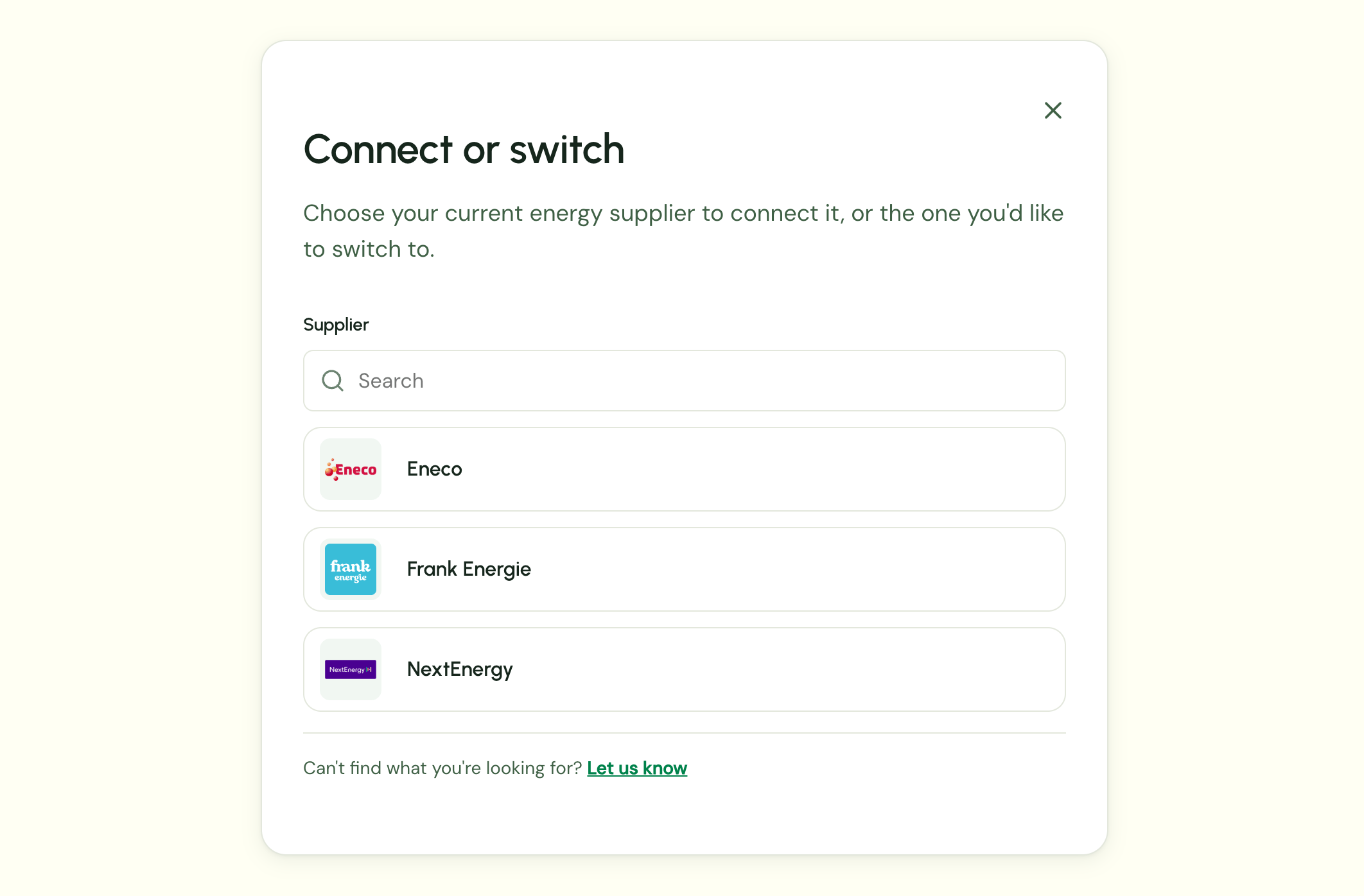
With `connection_type: "utility"`, the user first picks the utility they have a contract with, or the one they want to switch to:
 ```bash theme={null}
curl --request POST \
--url https://api.connect.nox.energy/v1/link \
--header 'Content-Type: application/json' \
--header 'x-api-key: api_key_123' \
--data '{
"user_id": "your_user_id_123",
"connection_type": "utility",
"redirect_url": "https://example.com/connect/done",
"language": "en"
}'
```
```json theme={null}
{
"link_token": "lt_abc123",
"link_url": "https://ui.connect.nox.energy/..."
}
```
`language` is one of `nl` (default), `en`, `fr` or `es`.
## Handling the redirect
The user is sent back to your `redirect_url` with a `success` query parameter. Any query parameters you included in the `redirect_url` are kept.
* `?success=false`: the user cancelled or the connection failed. Offer to start a new link session.
* `?success=true&data=...`: `data` is a base64url-encoded JSON object (without padding). Its shape tells you what happened.
**A connection**, when the user is already a customer. It has a `connection_id`:
```json theme={null}
{
"connection_id": "conn_123",
"consumer_user_id": "your_user_id_123",
"provider": "eneco",
"credential_type": "ean",
"device_ids": [],
"needs_reauth": false,
"connected_at": "2026-10-15T09:30:00Z"
}
```
**A lead**, when the user went to sign up with the utility. It has a `lead_id`:
```json theme={null}
{
"lead_id": "7f3c2a1e-...",
"consumer_user_id": "your_user_id_123",
"provider": "frank-energie"
}
```
A lead is not a connection yet, so it does not appear in [`GET /connections`](/api-docs/connect/connections/list-a-users-connections). Once the user's signup with the utility is complete, NOX Energy converts the lead into a utility connection for that user.
## Good to know
* **One utility per EAN.** An EAN identifies a grid connection point, and one meter has one contract. Connecting a new utility on the same EAN replaces the previous utility connection.
* **Managing connections.** Use [`GET /connections`](/api-docs/connect/connections/list-a-users-connections) to list a user's connections, and [`DELETE /connections`](/api-docs/connect/connections/disconnect-a-user) to revoke your access.
This documentation is built and hosted on [Mintlify](https://mintlify.com), a developer documentation platform.
```bash theme={null}
curl --request POST \
--url https://api.connect.nox.energy/v1/link \
--header 'Content-Type: application/json' \
--header 'x-api-key: api_key_123' \
--data '{
"user_id": "your_user_id_123",
"connection_type": "utility",
"redirect_url": "https://example.com/connect/done",
"language": "en"
}'
```
```json theme={null}
{
"link_token": "lt_abc123",
"link_url": "https://ui.connect.nox.energy/..."
}
```
`language` is one of `nl` (default), `en`, `fr` or `es`.
## Handling the redirect
The user is sent back to your `redirect_url` with a `success` query parameter. Any query parameters you included in the `redirect_url` are kept.
* `?success=false`: the user cancelled or the connection failed. Offer to start a new link session.
* `?success=true&data=...`: `data` is a base64url-encoded JSON object (without padding). Its shape tells you what happened.
**A connection**, when the user is already a customer. It has a `connection_id`:
```json theme={null}
{
"connection_id": "conn_123",
"consumer_user_id": "your_user_id_123",
"provider": "eneco",
"credential_type": "ean",
"device_ids": [],
"needs_reauth": false,
"connected_at": "2026-10-15T09:30:00Z"
}
```
**A lead**, when the user went to sign up with the utility. It has a `lead_id`:
```json theme={null}
{
"lead_id": "7f3c2a1e-...",
"consumer_user_id": "your_user_id_123",
"provider": "frank-energie"
}
```
A lead is not a connection yet, so it does not appear in [`GET /connections`](/api-docs/connect/connections/list-a-users-connections). Once the user's signup with the utility is complete, NOX Energy converts the lead into a utility connection for that user.
## Good to know
* **One utility per EAN.** An EAN identifies a grid connection point, and one meter has one contract. Connecting a new utility on the same EAN replaces the previous utility connection.
* **Managing connections.** Use [`GET /connections`](/api-docs/connect/connections/list-a-users-connections) to list a user's connections, and [`DELETE /connections`](/api-docs/connect/connections/disconnect-a-user) to revoke your access.
This documentation is built and hosted on [Mintlify](https://mintlify.com), a developer documentation platform.